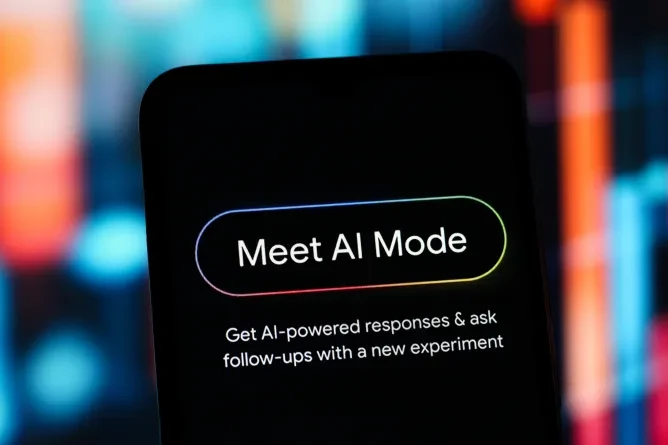
Google Rolls Out Two Key AI Mode Updates for Chrome: Side-by-Side Browsing and Cross-Tab AI Search
On Thursday, Google announced the public rollout of major new functionality for AI Mode, the company’s generative AI-powered conversational search experience, built to make web exploration more seamless for users. The first update, launching for AI Mode on desktop Chrome, introduces a new side-by-side browsing layout: when users click a link from an AI Mode search result, the target webpage now opens directly alongside the active AI Mode conversation, rather than shifting it to a separate tab.
According to the tech giant, this update is designed to simplify research workflows, letting users browse relevant websites, cross-check details, and ask follow-up questions without losing the context of their original search conversation.
For example, if you’re shopping for a new coffee maker, you can describe your exact requirements (from budget to size to special features) in AI Mode to get a curated list of matching options. Once you click a specific product listing, the retailer’s product page opens alongside AI Mode, so you can ask targeted questions like “how easy is this model to clean?” AI Mode then pulls contextual information from both the product page and broader web data to craft a relevant, accurate answer.
Google shared early tester feedback in a public blog post announcing the changes, noting: “Our early testers loved that they didn’t have to constantly switch tabs to get help with a comprehensive article or a long video. And they found that having both Search and the web side-by-side helped them stay focused on their tasks while exploring useful web pages.”
Beyond the new side-by-side layout, Google also unveiled a second new AI Mode feature that lets users leverage content from their already open Chrome tabs in searches.
Available on both desktop and mobile versions of Chrome, the feature lives in a new “plus” menu added to the search bar on Chrome’s New Tab page and directly within AI Mode. Users can tap this menu to select any of their recent open tabs, adding the content of those tabs to their current AI Mode search. This functionality lets users mix and pull context from multiple tabs, images, and files to build more contextual, informed AI queries.
Common practical use cases range from trip planning to academic studying: if you’re researching local hiking trails and already have multiple review tabs open, you can add all those tabs to your search and ask AI Mode to suggest similar trails in a new location. If you’re studying for a statistics exam, you can pull context from open course tabs, saved class notes, and uploaded lecture slides to ask AI Mode for clear, easy-to-understand examples that break down a complex concept.
TechCrunch Disrupt 2026
Meet your next investor or portfolio startup at Disrupt
Your next round. Your next hire. Your next breakout opportunity. Find it at TechCrunch Disrupt 2026, where 10,000+ founders, investors, and tech leaders gather for three days of 250+ tactical sessions, powerful introductions, and market-defining innovation. Register now to save up to $410.
Meet your next investor or portfolio startup at Disrupt
Your next round. Your next hire. Your next breakout opportunity. Find it at TechCrunch Disrupt 2026, where 10,000+ founders, investors, and tech leaders gather for three days of 250+ tactical sessions, powerful introductions, and market-defining innovation. Register now to save up to $410.
Both new AI Mode updates are available to users immediately in the United States. Google has confirmed it plans to expand access to the features to additional global regions at a later date.
Google Unveils New AI Mode Features for Chrome: Split-View Browsing and Cross-Tab Search